July 27, 2026 By Admin
25 Best Android Apps You Should Download Right Now
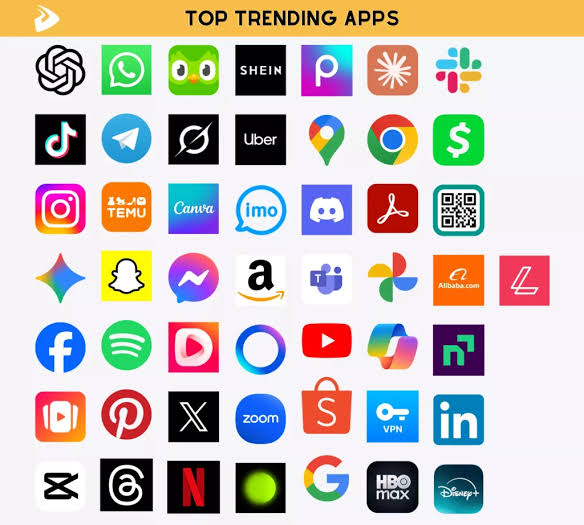
Android smartphones have become powerful tools for work, entertainment, communication, and creativity. However, the real strength of Android lies in its vast app ecosystem. With millions of applications available on the Google Play Store, choosing the right ones can be overwhelming. Whether you’re a student, professional, gamer, or casual smartphone user, having the right best android apps installed can significantly improve your daily experience.
In this guide, we’ve handpicked 25 of the best Android apps you should download right now. These apps are trusted by millions of users and offer outstanding features across different categories.
1. Google Drive
Google Drive remains one of the most essential apps for Android users. It allows you to store files securely in the cloud, access documents from any device, and collaborate with others in real time.
Key Features:
- 15 GB of free storage
- File sharing and collaboration
- Automatic backup
- Easy integration with Google Workspace
2. WhatsApp
WhatsApp continues to dominate as one of the world’s most popular messaging platforms. It offers free messaging, voice calls, video calls, and file sharing.
Why Install It?
- End-to-end encryption
- HD photo sharing
- Group chats
- Voice and video calls
3. Spotify
If you enjoy music and podcasts, Spotify is a must-have application. It offers millions of songs and personalized playlists based on your listening habits.
Highlights include:
- Offline downloads
- Personalized recommendations
- Podcast library
- Cross-device syncing
4. Microsoft Outlook
Outlook combines email, calendar, and productivity tools into one clean interface, making it ideal for professionals and students alike.
5. Notion
Notion is an all-in-one productivity workspace that helps you organize notes, projects, to-do lists, and databases.
Perfect for:
- Students
- Freelancers
- Remote workers
- Business teams
6. Canva
Canva allows anyone to create professional-looking graphics without design experience.
You can design:
- Social media posts
- Presentations
- Posters
- Logos
- Thumbnails
7. Snapseed
Developed by Google, Snapseed is one of the best free photo editing apps available.
Features include:
- RAW editing
- Professional filters
- Selective adjustments
- Healing tools
8. Adobe Lightroom Mobile
For users who want advanced editing features, Lightroom Mobile delivers professional-grade editing directly on your smartphone.
9. Google Maps
Google Maps is essential for navigation, travel planning, and discovering local businesses.
Benefits include:
- Live traffic updates
- Public transportation routes
- Offline maps
- Street View
10. Duolingo
Want to learn a new language? Duolingo makes learning fun through short, interactive lessons.
Popular languages include:
- Spanish
- French
- German
- Japanese
- Korean
11. Brave Browser
Brave offers a fast, secure browsing experience while blocking ads and trackers automatically.
Advantages:
- Better privacy
- Faster loading speeds
- Built-in VPN options
- Battery saving
12. VLC Media Player
VLC can play almost every audio and video format without requiring additional codecs.
Supported formats include:
- MP4
- AVI
- MKV
- FLAC
- MP3
13. Google Keep
Google Keep is perfect for quick notes, reminders, shopping lists, and voice memos.
Features:
- Color-coded notes
- Voice recording
- Widgets
- Cloud synchronization
14. Zoom
Zoom remains one of the best video conferencing apps for work, online classes, and virtual meetings.
15. ChatGPT
ChatGPT helps users write emails, summarize information, brainstorm ideas, solve coding problems, and answer questions instantly.
Common uses include:
- Content writing
- Homework assistance
- Programming help
- Daily productivity
16. Amazon Shopping
Shopping has never been easier. Amazon’s mobile app allows users to browse millions of products, compare prices, and track orders.
17. CapCut
CapCut has become one of the most popular video editing apps for content creators.
Popular editing tools:
- Auto captions
- AI effects
- Smooth transitions
- Background removal
- Templates
18. Files by Google
This lightweight file manager helps organize your storage while removing duplicate and junk files.
Benefits:
- Free storage cleaner
- File sharing
- Smart search
- Secure folder
19. Microsoft SwiftKey
SwiftKey learns your typing habits to provide faster predictions and smarter autocorrect.
Customization options include:
- Hundreds of themes
- Emoji suggestions
- Multi-language support
- Swipe typing
20. Google Photos
Google Photos automatically backs up your pictures and videos while offering excellent AI-powered search capabilities.
21. AccuWeather
Stay informed with accurate weather forecasts, severe weather alerts, and hourly updates.
22. TickTick
TickTick combines task management with calendars, reminders, and productivity tracking.
Ideal for:
- Daily planning
- Project management
- Habit tracking
- Goal setting
23. Grammarly Keyboard
Improve your writing on Android with Grammarly Keyboard. It checks grammar, spelling, punctuation, and tone as you type.
24. Proton VPN
Online privacy is becoming increasingly important. Proton VPN encrypts your internet connection and helps protect your personal information.
Features:
- No-log policy
- High-speed servers
- Free plan available
- Strong encryption
25. Shazam
Ever heard a song you loved but didn’t know its name? Shazam identifies songs within seconds.
It also provides:
- Lyrics
- Artist information
- Music videos
- Spotify integration
Why These Apps Stand Out
The Google Play Store offers countless applications, but these selections consistently receive excellent reviews, regular updates, and reliable performance. Together, they cover nearly every aspect of smartphone use—from productivity and education to entertainment and security.
Installing the right best android apps can save time, improve organization, boost creativity, and make everyday tasks much easier. Whether you need better communication tools, powerful photo editors, secure cloud storage, or advanced productivity solutions, the apps listed above provide exceptional value for every Android user.
Final Thoughts
Your Android smartphone is capable of much more than basic calling and messaging. By downloading high-quality apps, you can transform your device into a powerful tool for work, learning, creativity, and entertainment.
COMMENTS